Choosing the right Customer Relationship Management (CRM) software is one of the most important decisions a business can make. Whether you are a startup, a small business, or a large enterprise, your CRM becomes the central hub for managing customer relationships, tracking sales, organizing leads, and improving customer service.
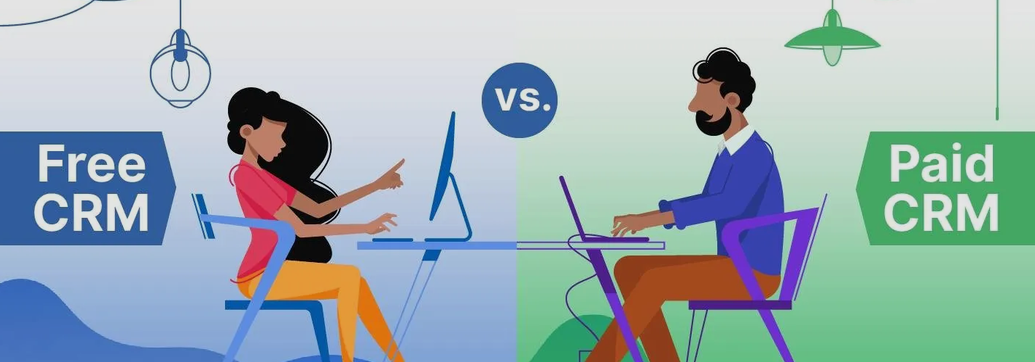
One of the biggest questions businesses face is whether to choose a free CRM or invest in a paid CRM solution. While free CRM software can provide excellent value for startups and small teams, paid CRM platforms offer advanced features, automation, customization, and scalability that growing businesses often need.
The right choice depends on your business size, budget, growth plans, team structure, and operational requirements. Understanding the strengths and limitations of both options will help you make an informed investment that supports long-term success.
This comprehensive guide compares free and paid CRM software in detail, explaining their features, benefits, limitations, costs, and ideal use cases to help you determine which option is best for your business.
What Is CRM Software?
CRM (Customer Relationship Management) software is a system that helps businesses organize, manage, and improve interactions with customers throughout the entire customer journey.
A CRM stores customer information in one centralized location, making it easier for sales, marketing, and customer support teams to work together.
Most CRM systems help businesses:
- Store customer information
- Track leads
- Manage sales pipelines
- Schedule follow-ups
- Send emails
- Automate repetitive tasks
- Generate reports
- Improve customer satisfaction
Without a CRM, businesses often rely on spreadsheets, sticky notes, emails, and disconnected software, which can lead to missed opportunities and poor customer experiences.
Understanding Free CRM Software
Free CRM software allows businesses to use core CRM features without paying subscription fees.
Most providers offer free plans to attract users, hoping businesses upgrade as they grow.
These free versions are especially useful for:
- Startups
- Freelancers
- Small businesses
- Solopreneurs
- Small sales teams
- Non-profit organizations
Although free CRMs have limitations, they often provide enough functionality for businesses just starting out.
Common Features Included in Free CRM Software
Most free CRM platforms include:
Contact Management
Store customer names, phone numbers, emails, companies, and notes.
Lead Management
Track potential customers through different stages of your sales process.
Deal Pipeline
Visualize sales opportunities using drag-and-drop boards.
Task Management
Create reminders and follow-up tasks.
Email Integration
Connect your business email for communication tracking.
Basic Reporting
View simple sales reports and activity summaries.
Mobile App
Access customer information on the go.
Team Collaboration
Allow limited team members to access customer records.
Advantages of Free CRM Software
No Financial Risk
The biggest advantage is obvious—it costs nothing.
Businesses can begin organizing customers without worrying about monthly subscription fees.
This is particularly helpful for startups with limited budgets.
Easy to Start
Free CRMs usually require very little setup.
Most offer:
- Cloud access
- User-friendly dashboards
- Quick account creation
- Simple onboarding
Businesses can often begin using the software within minutes.
Perfect for Learning CRM
Many companies have never used CRM software before.
A free version allows teams to learn:
- Customer management
- Pipeline tracking
- Lead organization
- Sales workflow
without making a financial commitment.
Great for Small Teams
Businesses with only a few employees rarely need advanced automation.
A free CRM usually provides enough features for:
- Sales tracking
- Customer communication
- Contact organization
Improves Organization
Instead of managing customer information across multiple spreadsheets, everything stays in one secure location.
Limitations of Free CRM Software
Despite the benefits, free CRMs have important restrictions.
Limited Users
Many providers only allow:
- 2 users
- 3 users
- 5 users
Additional users require upgrading.
Storage Restrictions
Free plans often limit:
- Contacts
- Documents
- File uploads
- Data storage
Growing businesses eventually outgrow these limits.
Basic Automation
Automation is one of CRM’s biggest productivity benefits.
Free versions usually exclude:
- Workflow automation
- Automatic follow-ups
- Lead scoring
- Trigger-based actions
These features remain locked behind paid plans.
Limited Reporting
Businesses receive only basic analytics.
Advanced insights like:
- Revenue forecasting
- Sales performance
- Team productivity
- Customer lifetime value
are often unavailable.
Few Integrations
Most free CRMs support only limited third-party integrations.
Advanced integrations with accounting, marketing automation, customer support, or ERP software usually require paid subscriptions.
Branding Restrictions
Some free CRMs display provider branding or limit email customization.
Limited Customer Support
Free users often receive:
- Community forums
- Knowledge base articles
- Email support only
Priority support usually requires upgrading.
Understanding Paid CRM Software
Paid CRM software offers significantly more functionality than free versions.
Businesses pay monthly or annual subscription fees to unlock advanced capabilities.
Paid CRM systems are designed for companies that need:
- Automation
- Team collaboration
- Advanced reporting
- Sales forecasting
- Marketing tools
- Customer support management
- Security
- Scalability
Features Typically Found in Paid CRM Software
Most premium CRM solutions include:
- Unlimited contacts
- Advanced sales pipelines
- Marketing automation
- Workflow automation
- AI-powered recommendations
- Custom dashboards
- Advanced reporting
- Sales forecasting
- Email sequences
- Phone integration
- SMS integration
- Document management
- Custom fields
- Role-based permissions
- API access
- Third-party integrations
- Customer support ticketing
- Live chat
- Multi-location management
- Mobile access
- Pipeline automation
Benefits of Paid CRM Software
Advanced Automation
Automation saves hundreds of working hours every year.
Businesses can automate:
- Lead assignments
- Follow-up emails
- Meeting reminders
- Notifications
- Sales workflows
- Customer onboarding
Employees spend less time on repetitive tasks.
Better Reporting
Paid CRM platforms provide detailed analytics including:
- Sales trends
- Revenue reports
- Conversion rates
- Customer acquisition cost
- Win/loss analysis
- Employee performance
- Sales forecasts
Better insights lead to smarter business decisions.
Increased Productivity
Instead of switching between multiple software tools, teams work inside one integrated platform.
This reduces manual work and increases efficiency.
Greater Customization
Every business operates differently.
Paid CRMs allow businesses to customize:
- Pipelines
- Dashboards
- Fields
- Reports
- User permissions
- Workflows
This creates a CRM tailored to business needs.
Better Customer Support
Premium subscriptions typically include:
- Live chat
- Phone support
- Priority ticket handling
- Dedicated account managers
- Training resources
Problems are resolved much faster.
Stronger Security
Businesses handling sensitive customer information benefit from advanced security such as:
- Role-based access
- Two-factor authentication
- Audit logs
- Data encryption
- Regular backups
- Compliance tools
Disadvantages of Paid CRM Software
Monthly Cost
Subscription fees can become significant.
Costs increase as businesses add:
- Users
- Storage
- Automation
- Integrations
- Premium modules
Learning Curve
Advanced features require employee training.
Larger systems can feel overwhelming for beginners.
Longer Implementation
Customizing workflows, importing data, and integrating multiple business tools may take weeks.
Cost Comparison
Although every provider has different pricing, CRM costs generally follow this pattern.
Free CRM
- $0 per month
- Limited users
- Basic features
Starter Plans
- Approximately $10–30 per user/month
Suitable for:
- Small businesses
- Growing startups
Professional Plans
- Around $40–100 per user/month
Designed for:
- Medium-sized businesses
- Sales teams
Enterprise Plans
- $100+ per user/month
Ideal for:
- Large organizations
- Multiple departments
- International businesses
Feature Comparison: Free vs Paid CRM
| Feature | Free CRM | Paid CRM |
|---|---|---|
| Contact Management | Yes | Yes |
| Lead Tracking | Yes | Yes |
| Sales Pipeline | Basic | Advanced |
| Automation | Limited | Extensive |
| Reporting | Basic | Advanced |
| AI Features | Rare | Common |
| Integrations | Limited | Extensive |
| Storage | Limited | Higher Limits |
| Customer Support | Basic | Priority |
| Security | Standard | Advanced |
| Customization | Limited | Extensive |
| Team Collaboration | Basic | Advanced |
| API Access | Rare | Usually Included |
Who Should Choose Free CRM Software?
Free CRM is an excellent option for:
Startups
Businesses still validating their ideas should avoid unnecessary expenses.
Freelancers
Individual professionals managing clients don’t usually require enterprise features.
Small Sales Teams
Teams with two to five sales representatives can comfortably operate using free CRM plans.
Non-Profit Organizations
Organizations with tight budgets benefit from free customer management systems.
Businesses Testing CRM
Companies uncertain about CRM adoption can experiment before investing.
Who Should Choose Paid CRM Software?
Paid CRM is better for businesses experiencing growth.
Ideal users include:
Growing Businesses
As customer databases expand, businesses need automation and scalability.
Large Sales Teams
Managing dozens of sales representatives requires advanced reporting and permissions.
Customer Service Departments
Support teams benefit from integrated ticket management and communication tools.
Marketing Teams
Paid CRMs often include:
- Email campaigns
- Lead nurturing
- Customer segmentation
- Campaign tracking
Companies with Multiple Departments
Sales, marketing, finance, and customer support can collaborate within one system.
Questions to Ask Before Choosing
Before selecting a CRM, ask yourself:
How many employees will use the CRM?
More users often justify paid plans.
How many customers do you manage?
Larger databases require better organization.
Will your business grow quickly?
Future growth should influence today’s decision.
Do you need automation?
Manual processes become difficult as customer numbers increase.
What is your monthly budget?
Choose software that fits current finances while supporting future expansion.
Which tools must integrate with your CRM?
Consider accounting software, email platforms, communication tools, and e-commerce systems.
When Should You Upgrade from a Free CRM?
Many businesses begin with a free CRM before upgrading.
Signs it’s time to move to a paid plan include:
- Contact limits reached
- User limits exceeded
- Manual work consuming too much time
- Need for automation
- More detailed reporting required
- Customer service expanding
- Sales pipeline becoming more complex
- More departments needing CRM access
- Integration requirements increasing
Common Mistakes Businesses Make
Choosing Based Only on Price
The cheapest CRM isn’t always the best value.
Consider long-term productivity gains.
Ignoring Future Growth
Today’s small business could double next year.
Choose software that scales with your company.
Not Training Employees
Even the best CRM fails if employees don’t know how to use it effectively.
Overpaying for Unused Features
Avoid purchasing enterprise plans if your team only uses basic CRM functions.
Skipping Data Cleanup
Importing duplicate or inaccurate customer information reduces CRM effectiveness.
Clean your data before migration.
Tips for Making the Right Decision
- Clearly define your business goals before comparing CRM options.
- Estimate your expected growth over the next two to three years.
- Prioritize features that solve your biggest operational challenges.
- Calculate the total cost, including user licenses and add-ons.
- Test the software with real business data before committing.
- Gather feedback from the employees who will use the CRM every day.
- Review upgrade options so your system can scale without a complicated migration.
- Focus on ease of use as well as functionality to encourage adoption across your team.
Final Verdict
The decision between free and paid CRM software ultimately depends on your business’s current needs and future ambitions.
A free CRM is an excellent starting point for startups, freelancers, and small businesses that need reliable contact management, basic lead tracking, and simple sales organization without increasing operating costs. It provides an opportunity to build structured customer management processes while learning how CRM systems work.
A paid CRM, on the other hand, is a strategic investment for businesses that are growing, managing larger customer databases, or relying on multiple teams to collaborate. Advanced automation, detailed analytics, stronger security, extensive integrations, and customizable workflows can significantly improve efficiency, increase sales productivity, and enhance the customer experience.