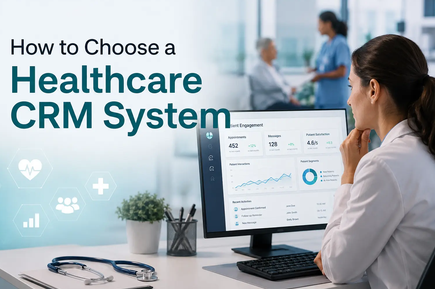
Choosing the right healthcare CRM can make a major difference in how efficiently a medical practice manages patient relationships, appointments, communication, follow-ups, and day-to-day administrative work. As healthcare becomes increasingly digital, patients expect convenient communication, quick responses, personalized experiences, and smooth interactions before and after appointments.
A healthcare CRM, or Customer Relationship Management system, can help bring these activities into one organized platform. However, not every CRM is designed for medical practices. A general business CRM may offer contact management and sales automation, but healthcare organizations often need additional capabilities such as patient communication, appointment reminders, referral management, secure data handling, integrations with electronic health records, and healthcare-specific workflows.
The right solution depends on the size of your practice, specialty, budget, staff, existing software, patient volume, and long-term goals. This guide explains how to evaluate your options and choose a healthcare CRM that fits your medical practice.
What Is a Healthcare CRM?
A healthcare CRM is software designed to help medical organizations manage relationships and interactions with patients, prospective patients, referral partners, and other stakeholders.
Unlike a traditional sales CRM, a healthcare CRM focuses on the patient journey rather than simply managing sales opportunities. It can help practices organize patient inquiries, appointment requests, communications, follow-ups, referrals, campaigns, and engagement activities.
A healthcare CRM can complement an electronic health record (EHR) or electronic medical record (EMR) system rather than necessarily replacing it. In many setups, the EHR remains the primary system for clinical records, while the CRM focuses on relationship management, communication, engagement, and operational workflows.
Modern healthcare CRM platforms commonly include patient management, appointment workflows, communication automation, reporting, referral tracking, segmentation, and integration capabilities.
Why Choosing the Right Healthcare CRM Matters
Selecting a CRM is more than purchasing another software subscription. The system can become an important part of your practice’s daily operations.
A poorly selected CRM can create additional administrative work, duplicate data, disconnected systems, and frustrated employees. A well-selected platform can simplify repetitive processes and give staff better visibility into patient interactions.
Healthcare CRM systems can support areas such as:
- Patient communication
- Appointment reminders
- Lead and inquiry management
- Follow-up automation
- Referral tracking
- Patient reactivation
- Marketing campaigns
- Patient segmentation
- Staff task management
- Reporting and analytics
- Integration with existing healthcare software
Research into CRM adoption in healthcare has found potential benefits across patient communication, satisfaction, operational efficiency, productivity, and service quality, although successful implementation depends heavily on organizational and technology factors.
Start by Identifying Your Practice’s Needs
The first step in choosing a healthcare CRM is not comparing software brands. It is identifying the problems you want the CRM to solve.
Different medical practices have different priorities.
For example, a dental clinic may primarily need appointment reminders and patient reactivation. A dermatology practice may focus on lead management and treatment follow-ups. A multi-location medical group may require centralized reporting, staff permissions, and integration across several locations.
Ask your team:
- What administrative tasks consume the most time?
- How are patient inquiries currently handled?
- How are appointment reminders sent?
- How are missed appointments followed up?
- Where is patient communication history stored?
- How are referrals tracked?
- How do you manage prospective patients?
- Which software systems are already being used?
- What reports does management need?
- What processes should be automated?
Writing down these requirements will make it much easier to compare CRM systems objectively.
Determine Whether You Need a Healthcare-Specific CRM
One of the most important decisions is whether you need a healthcare-focused CRM or whether a general CRM can meet your requirements.
General CRM platforms can be useful for basic lead tracking, marketing, and communication. However, medical practices often have workflows that require healthcare-specific functionality.
A healthcare CRM may be more appropriate if you need:
- Patient-specific workflows
- Appointment-related communication
- Referral management
- Healthcare software integrations
- Secure handling of sensitive information
- Patient engagement automation
- Treatment-related follow-up workflows
- Healthcare reporting
- Multiple locations or providers
A general CRM might still work for a small practice with simple marketing and lead-management requirements. The important point is to evaluate the actual workflow rather than choosing software simply because it has a long feature list.
Look for a Complete Patient Profile
A strong healthcare CRM should provide a centralized view of each patient’s relationship with the practice.
Depending on the system and your workflow, a patient profile may include contact information, communication history, appointment activity, preferences, referral information, consent records, and other relevant relationship-management data.
The goal is to reduce the need for staff to search through multiple systems or spreadsheets.
A centralized profile can help employees understand:
- Who the patient is
- How the patient contacted the practice
- Previous communication
- Appointment status
- Follow-up requirements
- Referral source
- Preferred communication method
- Outstanding administrative tasks
However, practices should clearly define which information belongs in the CRM and which information should remain in the EHR or clinical record.
Evaluate Appointment Management and Reminders
Appointments are at the center of most medical practices, so appointment-related functionality should be carefully evaluated.
A useful CRM can help automate communication before and after appointments. For example, the system may support reminders, confirmations, follow-ups, cancellations, and reactivation campaigns.
Look for features such as:
- Appointment reminders
- Confirmation messages
- Cancellation notifications
- Rescheduling workflows
- Online booking integrations
- Follow-up reminders
- No-show follow-up
- Recall campaigns
- Provider calendars
- Multi-location scheduling support
Automating routine communication can reduce the workload on front-desk staff while helping patients receive timely information.
Consider Patient Communication Features
Patients may communicate through several channels, including phone, email, SMS, messaging applications, websites, and patient portals.
Your CRM should support the channels that your patients actually use.
Important communication features can include:
- SMS
- Two-way messaging
- Automated reminders
- Communication templates
- Call tracking
- Communication history
- Patient preferences
- Automated follow-ups
However, communication functionality should always be evaluated alongside privacy, security, consent, and regulatory requirements.
Do not assume that a CRM’s support for a particular messaging channel automatically means that every type of healthcare communication is appropriate through that channel.
Check Security and Privacy Carefully
Security should be one of the highest priorities when selecting healthcare CRM software.
Medical practices handle sensitive information, so a CRM must provide appropriate controls for protecting information and limiting access.
Depending on your location and regulatory environment, relevant requirements may include HIPAA or other privacy and data-protection obligations.
Important security features may include:
- Encryption
- Role-based access controls
- User authentication
- Audit logs
- Permission management
- Secure data storage
- Backup procedures
- Data retention controls
- Access monitoring
If HIPAA applies to your practice, ask the vendor specific questions about its compliance program and whether a Business Associate Agreement is available when required.
Do not rely solely on statements such as “secure” or “healthcare-ready.” Ask the vendor to explain how the platform protects sensitive information and what responsibilities remain with your practice.
Examine EHR and EMR Integration
Integration is one of the most important factors in healthcare CRM selection.
If your CRM cannot communicate effectively with your existing EHR, EMR, practice management system, billing platform, or other essential software, employees may have to enter the same information repeatedly.
This can create:
- Duplicate records
- Data-entry errors
- Administrative delays
- Inconsistent information
- Increased staff workload
Before purchasing a CRM, identify every system that needs to exchange information with it.
Ask vendors:
- Does the CRM integrate with our current EHR?
- Is the integration native or third-party?
- What information can be synchronized?
- Is synchronization real-time?
- Is there an API?
- Are additional integration fees required?
- Who manages the integration?
- What happens if the integration fails?
Healthcare technology environments may use standards and interfaces such as APIs, HL7, or FHIR depending on the systems involved, so understanding the vendor’s integration capabilities is important.
Look for Automation Features
Automation can be one of the biggest reasons to adopt a CRM.
Instead of asking employees to manually perform repetitive tasks, a CRM can trigger actions based on predefined events.
For example:
New inquiry → automatic acknowledgment → staff task → appointment booking → reminder → post-appointment follow-up
Other useful automation examples include:
- New patient follow-ups
- Missed appointment reminders
- Appointment confirmations
- Patient recall campaigns
- Inactive patient reactivation
- Referral follow-ups
- Satisfaction surveys
- Staff task assignments
Automation should make workflows easier rather than more complicated. During a demonstration, ask the vendor to show how a real workflow would be configured.
Evaluate Referral Management
Referrals can be an important source of new patients for many practices.
If your practice receives referrals from physicians, hospitals, specialists, organizations, or other partners, the CRM should make it easy to track those relationships.
Useful referral-management features may include:
- Referral source tracking
- Referral status
- Referral follow-up
- Referral conversion reporting
- Partner profiles
- Referral communication
- Performance reports
For example, management may want to know how many patients came from a particular referral source and how many ultimately scheduled appointments.
This information can help the practice understand which relationships and acquisition channels are producing results.
Check Reporting and Analytics
A CRM should not only store information. It should help you understand what is happening in the practice.
Look for dashboards and reports that provide useful information about:
- New patient inquiries
- Appointment conversions
- No-show rates
- Patient retention
- Referral sources
- Communication activity
- Campaign performance
- Follow-up completion
- Staff productivity
- Patient engagement
The best reports are those that support decisions.
For example, knowing that your practice received 500 inquiries is useful, but knowing that 350 were contacted, 200 scheduled appointments, and 160 completed their appointments provides much more actionable information.
Make Sure the CRM Is Easy to Use
A CRM can have hundreds of features and still fail if employees do not want to use it.
Ease of use is therefore extremely important.
During a demo, pay attention to:
- How quickly users can find a patient
- How many clicks common tasks require
- How easy it is to create tasks
- How simple it is to send messages
- How easy it is to update records
- How understandable the dashboards are
- Whether employees need extensive technical training
Ask actual staff members to test the system. A CRM should be evaluated by the people who will use it every day, not only by management or the IT department.
Consider Mobile Access
Healthcare professionals and practice managers may not always work from a desktop computer.
Mobile access can be useful for checking tasks, reviewing communication activity, monitoring appointments, or managing workflows while away from the front desk.
If mobile access is important to your practice, evaluate:
- Mobile applications
- Browser-based access
- Security controls
- Notifications
- Mobile reporting
- Ease of use on smaller screens
Make sure mobile functionality does not compromise security.
Evaluate Scalability
The CRM should support your practice not only today but also as it grows.
A small clinic might eventually add:
- More doctors
- More employees
- Additional specialties
- New locations
- More patients
- More communication channels
Ask whether the CRM supports multiple locations, departments, providers, and user roles.
Also check whether pricing increases dramatically as your practice grows.
A system that is affordable for 500 patients but becomes extremely expensive at 10,000 patients may not be the best long-term choice.
Understand the Pricing Structure
CRM pricing can be more complicated than the advertised monthly subscription.
Potential costs may include:
- Per-user licenses
- Implementation fees
- Setup fees
- Data migration
- Integration fees
- Training
- Premium support
- Messaging charges
- Additional storage
- Advanced reporting
- Custom development
Ask vendors for a complete cost estimate rather than focusing only on the basic subscription price.
You should also calculate the total cost of ownership over at least two or three years.
The cheapest CRM is not always the best option if it requires expensive customization or creates additional work for employees.
Ask About Implementation and Data Migration
Moving from spreadsheets or an existing CRM to a new healthcare CRM can be challenging.
Before signing a contract, ask how the vendor handles data migration.
Important questions include:
- Can existing patient or contact data be imported?
- Who cleans the data?
- Can duplicate records be identified?
- How long will migration take?
- Will the vendor test the imported data?
- Can old records be preserved?
- Is migration included in the price?
A structured implementation plan can significantly reduce disruption.
Consider Training and Customer Support
Even an excellent CRM can fail without proper training.
Ask what support is included with your subscription.
Potential support options include:
- Onboarding
- Video tutorials
- Documentation
- Live chat
- Email support
- Phone support
- Dedicated account managers
- Training sessions
Also ask how quickly the vendor typically responds to support requests.
Your staff should know how to use the system before it becomes part of critical daily workflows.
Test the CRM With a Real Patient Journey
One of the best ways to evaluate a CRM is to test a real scenario rather than simply watching a sales presentation.
Create a realistic workflow such as:
Website inquiry → patient contact → appointment booking → appointment reminder → visit → follow-up → future recall
Then see how easily the CRM handles each step.
Ask your staff to complete the same workflow using the trial or demo system.
This can reveal problems that are not obvious from feature lists.
A CRM buyer’s evaluation should focus on practical workflow fit, integration, compliance, communication needs, and team capacity rather than simply counting features.
Compare Vendors Using a Simple Scorecard
After testing several systems, create a scorecard.
You could score each CRM from 1 to 5 for:
| Evaluation Area | Score |
|---|---|
| Patient management | /5 |
| Ease of use | /5 |
| Appointment workflows | /5 |
| Communication | /5 |
| Automation | /5 |
| Security | /5 |
| EHR/EMR integration | /5 |
| Reporting | /5 |
| Referral management | /5 |
| Mobile access | /5 |
| Scalability | /5 |
| Customer support | /5 |
| Pricing | /5 |
This approach prevents one impressive feature from influencing the entire purchasing decision.
Avoid Buying Too Many Features
More features do not automatically mean a better CRM.
A small medical practice may not need advanced enterprise analytics, complex marketing automation, or sophisticated multi-location management.
Buying unnecessary features can increase costs and make the platform harder to use.
Instead, identify your essential requirements and divide them into three groups:
Must-Have Features
These are features your practice cannot operate effectively without.
Examples include secure patient management, appointment workflows, communication, integration, and user permissions.
Important Features
These improve efficiency but may not be required immediately.
Examples include advanced reporting, automated campaigns, referral analytics, and mobile features.
Future Features
These may become useful as the practice grows.
Examples include advanced AI automation, multi-location analytics, sophisticated segmentation, and complex workflow orchestration.
This approach helps keep the initial implementation manageable.
Consider AI and Intelligent Automation
AI capabilities are becoming increasingly common in CRM platforms.
Depending on the system, AI may assist with tasks such as summarizing interactions, identifying follow-up opportunities, segmenting patients, generating communication drafts, analyzing trends, or automating administrative workflows.
However, AI should be evaluated carefully in healthcare.
Ask:
- What data does the AI process?
- Where is that data stored?
- Can users control AI access?
- Is patient information used to train external models?
- Can AI-generated information be reviewed before use?
- What safeguards are available?
AI should support healthcare staff rather than replace appropriate human judgment.
Think About Patient Experience
The ultimate goal of a healthcare CRM should not simply be better administration.
It should help create a better patient experience.
Patients generally appreciate:
- Clear appointment communication
- Convenient scheduling
- Timely reminders
- Quick responses
- Consistent follow-up
- Personalized communication
- Easy access to appropriate information
A CRM that improves internal workflows but makes communication confusing for patients may not deliver the expected value.
Evaluate every major feature from both the staff and patient perspectives.
Common Mistakes to Avoid
There are several common mistakes practices make when selecting healthcare CRM software.
Choosing Based Only on Price
A cheap CRM may become expensive when integration, customization, training, and support are added.
Choosing Too Many Features
Complexity can reduce adoption. Focus on the features your practice actually needs.
Ignoring Integration
A CRM that does not work with your existing systems can create data silos and duplicate work.
Assuming Compliance
Do not assume that a vendor is suitable for your regulatory requirements simply because it uses healthcare-related marketing language.
Not Involving Staff
Employees who use the CRM every day should participate in testing and selection.
Skipping the Trial
A live demo is useful, but a realistic workflow test is much more revealing.
Forgetting Future Growth
Choose a system that can support reasonable growth without requiring a complete technology replacement.
A Practical Step-by-Step Selection Process
You can simplify the entire process into these steps:
Step 1: Define Your Goals
Identify the main problems you want the CRM to solve.
Step 2: Map Your Patient Journey
Document how patients move from inquiry to appointment, treatment, follow-up, and future engagement.
Step 3: List Required Features
Separate must-have features from optional features.
Step 4: Review Integration Requirements
Identify your EHR, EMR, scheduling, billing, communication, website, and other systems.
Step 5: Create a Shortlist
Select several CRM platforms that match your requirements.
Step 6: Request Demonstrations
Ask vendors to demonstrate your actual workflows instead of generic presentations.
Step 7: Run a Trial
Let staff members test the platform with realistic scenarios.
Step 8: Verify Security and Compliance
Ask detailed questions about privacy, access controls, encryption, auditing, and applicable compliance obligations.
Step 9: Calculate Total Cost
Include licensing, implementation, migration, integrations, training, support, and future expansion.
Step 10: Choose the Best Overall Fit
Select the CRM that offers the strongest combination of usability, functionality, security, integration, support, scalability, and value.
Final Thoughts
Choosing the right healthcare CRM for your medical practice requires more than comparing software prices or feature lists. The best system should fit the way your practice actually operates.
Start by identifying your biggest operational and patient-engagement challenges. Then evaluate patient management, appointment workflows, communication, automation, security, integrations, reporting, scalability, usability, and support.
Most importantly, involve the employees who will use the system every day. Test real patient journeys and make sure the CRM reduces administrative complexity rather than creating another layer of work.
A well-selected healthcare CRM can become an important part of a modern medical practice by helping staff organize patient relationships, automate repetitive communication, improve follow-up, understand practice performance, and create a more consistent patient experience.